

Configuration
Before a recruiter starts a reference check, show them the settings Refapp offers for their account: which questionnaire to use, whether to ask the candidate for referees automatically, and so on. Refapp describes those settings as form fields so you can render them in your own product without knowing what each customer has configured.
The word recruiter here means the end user: someone who has, or will get, an account in both Refapp and your system.
#Request
GET https://test.refapp.se/webhooks/<your-ats-name>/config<your-ats-name> stands for the name Refapp gave your ATS. See
Your endpoint.
Two headers authenticate the call:
| Header | Value |
|---|---|
Authorization | Bearer <partner credential> |
X-Provider-Key | The customer secret of the account being set up |
Three query parameters shape the answer:
| Parameter | Purpose |
|---|---|
job_id | Your identifier for the position. If a matching project already exists in Refapp, the allowed settings are adapted to it. |
recruiter | The recruiter's email address, so options can be limited to what that person may see, such as questionnaires of their unit. |
lang | ISO 639-1 code of your interface language, so labels come back localised. |
curl -H "Authorization: Bearer xxx-partner-credential-xxx" \
     -H "X-Provider-Key: yyy-customer-secret-yyy" \
     -d job_id=zzz \
     -d recruiter=sam.berg@yourcompany.example \
     -d lang=en \
-G "https://test.refapp.se/webhooks/<your-ats-name>/config"#Fetching again after a change
A field with refetch: true asks you to fetch the config again whenever its
value changes, so that fields depending on it can be re-rendered. Send the
current values in a fourth parameter, webhook_data: a JSON string keyed by
field id.
With many fields, webhook_data can make the URL too long. The endpoint
therefore also takes POST, with the same parameters in a JSON body and the
same headers. In the body, webhook_data is an object, not a JSON string:
curl -H "Authorization: Bearer xxx-partner-credential-xxx" \
     -H "X-Provider-Key: yyy-customer-secret-yyy" \
     -H "Content-Type: application/json" \
     -d '{"job_id": "zzz", "lang": "en", "webhook_data": {"form-en": "F9aMavknzygEwTosh"}}' \
"https://test.refapp.se/webhooks/<your-ats-name>/config"#Response
The response is a list of form fields ready to render. Field types are
header, subheader, paragraph, select, checkbox and text. The first
three are labels with no value. A field may carry label-markdown or
label-html with a richer version of its label; use one of them when your
renderer can.
Every field's id becomes a key in the webhook-data you send when
submitting the candidate, with the value the
recruiter chose.
Treat the fields as dynamic content. Fields can be added or removed at any time. Refapp avoids breaking changes, so a new field is more likely than a removed field or a changed value type.
A field with refetch: true asks you to fetch the config again when its value
changes, with the current values as a JSON string in the webhook_data query
parameter. For example, the client name field (then required) and the Hide
the client name checkbox are only present while the Client Reference Check
checkbox is checked.
The exact shape of a field is in the API reference. How the form must look in your product is under The preview in Refapp.
#A customer with individual settings
{
  "config": {
    "fields": [
      {
        "id": "intro",
        "label": "Settings for this Refapp Reference Checking project.\nThis happens when a reference check is started for the first candidate for the position.",
        "type": "header",
        "disabled": true
      },
      {
        "id": "hide-project-name",
        "type": "checkbox",
        "label": "Hide the position name",
        "value": false
      },
      {
        "id": "external-recruitment-enabled",
        "type": "checkbox",
        "label": "Client Reference Check",
        "value": true,
        "refetch": true
      },
      {
        "id": "external-recruitment-customer",
        "type": "text",
        "label": "Client Name",
        "value": "",
        "required": true
      },
      {
        "id": "external-recruitment-hide-customer",
        "type": "checkbox",
        "label": "Hide the client name",
        "value": false
      },
      {
        "id": "form-sv",
        "label": "Swedish Questions",
        "placeholder": "Select questions to ask referees that communicate in Swedish",
        "type": "select",
        "options": [
          { "id": "", "label": "None" },
          {
            "id": "B4y3buDWCMZusFnDY",
            "label": "Refapp standardmall - djupgående (21 questions)"
          },
          {
            "id": "JsRBfndvYDWNxE6Qm",
            "label": "Refapp standardmall - snabb (11 questions)"
          }
        ]
      },
      {
        "id": "form-en",
        "label": "English Questions",
        "placeholder": "Select questions to ask referees that communicate in English",
        "type": "select",
        "options": [
          { "id": "", "label": "None" },
          {
            "id": "9hRXxzddcAjYgpX5t",
            "label": "Refapp standard form - deep (21 questions)"
          },
          {
            "id": "F9aMavknzygEwTosh",
            "label": "Refapp standard form - quick (11 questions)"
          }
        ]
      },
      {
        "id": "relation-verification",
        "type": "checkbox",
        "label": "Request details on relationship from candidates and referees",
        "value": false
      },
      {
        "id": "intro-ref-req",
        "label": "Refapp Automation",
        "type": "header"
      },
      {
        "id": "referee-requests-choice",
        "label": "Ask candidates for referees via:",
        "type": "select",
        "value": "disabled",
        "options": [
          { "id": "disabled", "label": "Add referees manually in Refapp" },
          { "id": "sms", "label": "SMS" },
          { "id": "email", "label": "email" },
          { "id": "email-sms", "label": "email and SMS" }
        ]
      },
      {
        "id": "num-referees-requested",
        "label": "Requested referees",
        "type": "select",
        "options": [
          { "id": "1", "label": "1 referee" },
          { "id": "2", "label": "2 referees" },
          { "id": "3", "label": "3 referees" },
          { "id": "4", "label": "4 referees" },
          { "id": "5", "label": "5 referees" }
        ],
        "value": "3"
      },
      {
        "id": "referee-communication-automation",
        "label": "When a candidate has submitted a referee, automatically send a reference check via:",
        "type": "select",
        "value": "email-sms",
        "options": [
          {
            "id": "disabled",
            "label": "Send the reference check manually from Refapp"
          },
          { "id": "sms", "label": "SMS" },
          { "id": "email", "label": "email" },
          { "id": "email-sms", "label": "email and SMS" }
        ]
      }
    ]
  }
}Render this as one form: headers as section titles, checkboxes and selects as
inputs with the given value preselected, and the text field as a free-text
input.
#A customer using project templates
Some customers bundle all settings into templates. Then the whole form is one select:
{
  "config": {
    "fields": [
      {
        "id": "project-template-id",
        "label": "Use this project template for all settings",
        "type": "select",
        "options": [
          {
            "id": "q7oDG65oqySpcxdfk",
            "label": "Intern rekrytering (svenska)"
          },
          { "id": "zKPgytXG9nChd4EPk", "label": "Simple External Recruitment" }
        ]
      }
    ]
  }
}#The preview in Refapp
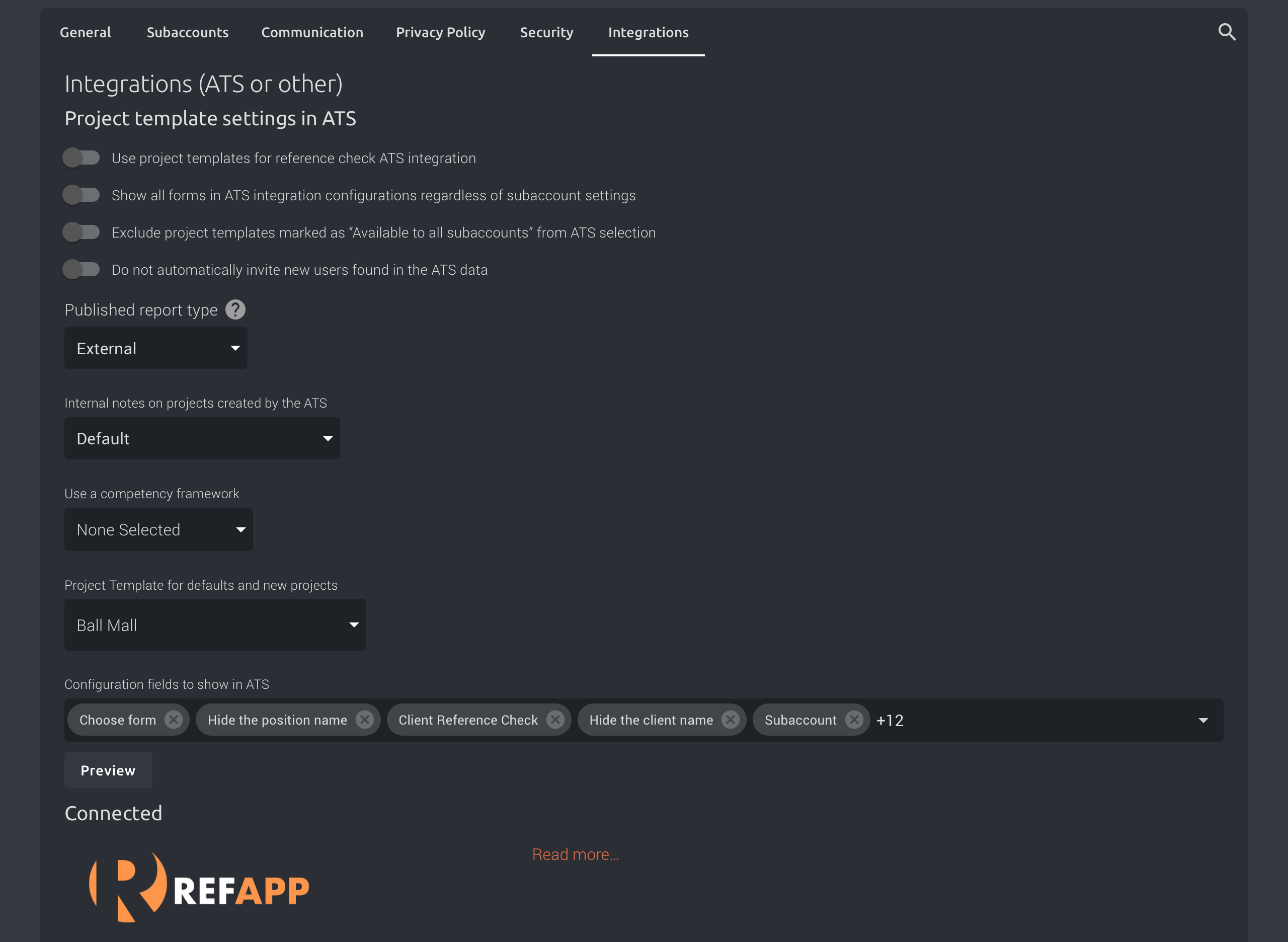
A customer administrator can see the form in Refapp itself. Under Company Settings, on the Integrations tab, the Preview button opens the form as Refapp renders it, from the same fields that your system fetches.
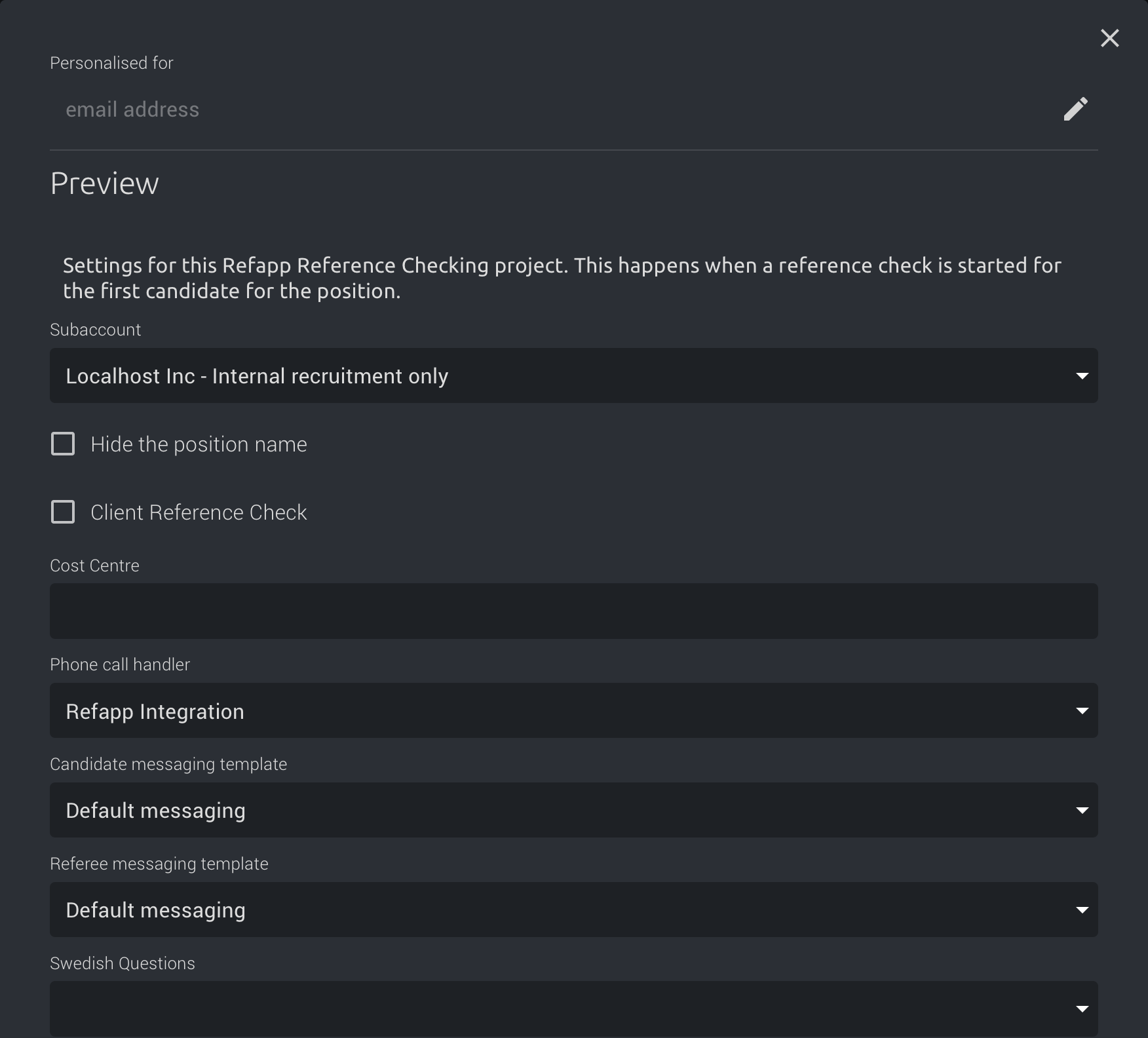
Customers use the preview to check their settings, so they expect the same form in your product. Your form must match the preview exactly:
- The same fields, in the same order.
- The same labels, options, values and required fields.
- The same behaviour when a field with
refetch: truechanges.
Only the styling is yours. Use your own theme and brand.
Personalised for in the preview takes the email address of a recruiter. It
does what the recruiter parameter does in your request.
Compare your form with the preview in your own account while you build.
#Routing criteria
The response can also hold moving_criteria. These are the values that
Refapp sends in criteria with each
status update. A recruiter can use them to build
rules that move a candidate to another stage, for example when a fraud warning
is active.
Each criterion has an id, a name and a kind. An outcome criterion lists
its possible outcomes, each with an id, a label and an optional hint. A
score criterion sends a number within its range. Names, labels and hints
are in the language of lang. Store your rules against the criterion id and
the outcome id. These stay the same while the criterion exists, but names and
labels can change.
Treat moving_criteria as dynamic content, like the fields. Criteria and
outcomes can be added or removed at any time, and the list follows the
settings of the customer's account. Refapp avoids breaking changes, so a new
criterion or outcome is more likely than a removed one or a changed value type.
The list is left out when the account has no criteria. Ignore a criterion or an
outcome that you do not know.
This list is the source of truth for the criteria and outcomes of an account. Build your rules from it, not from the API reference. The reference shows only the criteria and values that exist today.
{
  "config": {
    "fields": [
      {
        "id": "project-template-id",
        "label": "Use this project template for all settings",
        "type": "select",
        "options": [
          { "id": "zKPgytXG9nChd4EPk", "label": "Simple External Recruitment" }
        ]
      }
    ],
    "moving_criteria": [
      {
        "id": "reference_check_fraud",
        "name": "Fraud",
        "kind": "outcome",
        "outcomes": [
          {
            "id": "positive",
            "label": "No suspected fraud",
            "hint": "No fraud warning is active on this candidate."
          },
          {
            "id": "warning",
            "label": "Suspected fraud",
            "hint": "At least one fraud warning is active on this candidate."
          }
        ]
      },
      {
        "id": "reference_check_referees_overdue",
        "name": "Referee deadline",
        "kind": "outcome",
        "outcomes": [
          {
            "id": "overdue",
            "label": "Deadline for adding referees has passed",
            "hint": "The deadline has passed and the candidate has not added all requested referees."
          },
          {
            "id": "not_overdue",
            "label": "Not overdue",
            "hint": "The candidate has added all requested referees, or the deadline has not passed."
          }
        ]
      }
    ]
  }
}